
ONE SONG · TWO USEFUL TRACKS
Vocal Remover: Compare Vocals and Instrumental
A Vocal Remover analyzes a mixed song and separates it into two audio results: vocals and instrumental accompaniment. Use the instrumental when you want the music without the lead voice, or the vocal result when you want an acapella-style track.

REMOVE THE VOICE · KEEP THE OPTIONS
Vocal Remover for Karaoke, Practice, and Remixing
Turn one mixed track into a practical vocal-and-instrumental pair for singing, learning, arranging, or authorized creative work.

Build a Karaoke Backing Track
Reduce the original singer and keep the music ready for your own performance.
01
Pull Out the Acapella
Switch to the vocal result when you want to study phrasing, check a melody, or prepare a permitted vocal edit.
Vocals
02
Practice Without Competing Vocals
Sing over the instrumental, rehearse an instrument, or learn the arrangement with the lead voice turned down.

03
Prepare a Cover or Demo
Use the instrumental as a performance guide, then record your own authorized vocal or explore a new cover direction.






04
Open Space for a Remix
The AI Vocal Remover gives you a focused starting pair for testing a mashup, edit, or arrangement you have the right to make.

BETTER SOURCE · BETTER SEPARATION
Get the Best Vocal Removal Your Mix Can Give
Vocal removal can be useful without pretending every arrangement separates perfectly.
Source
Begin With the Clearest Source Available
A cleaner source gives the separator a better starting point.
- Use supported audio you may process.
- Avoid unnecessary re-encoding.


STEP BY STEP
How to Remove Vocals From a Song Online
The Vocal Remover gives you a focused vocal-and-instrumental pair to preview before downloading.
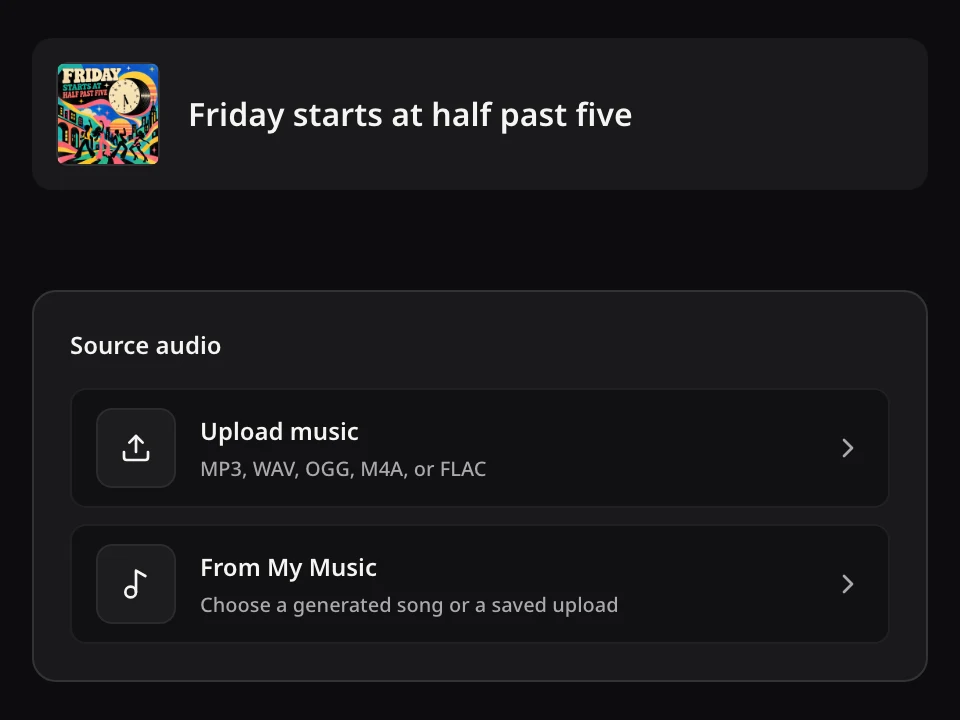
01Choose a song
Open the Vocal Remover with an eligible saved track or upload audio you have permission to process. Use the clearest mix available.
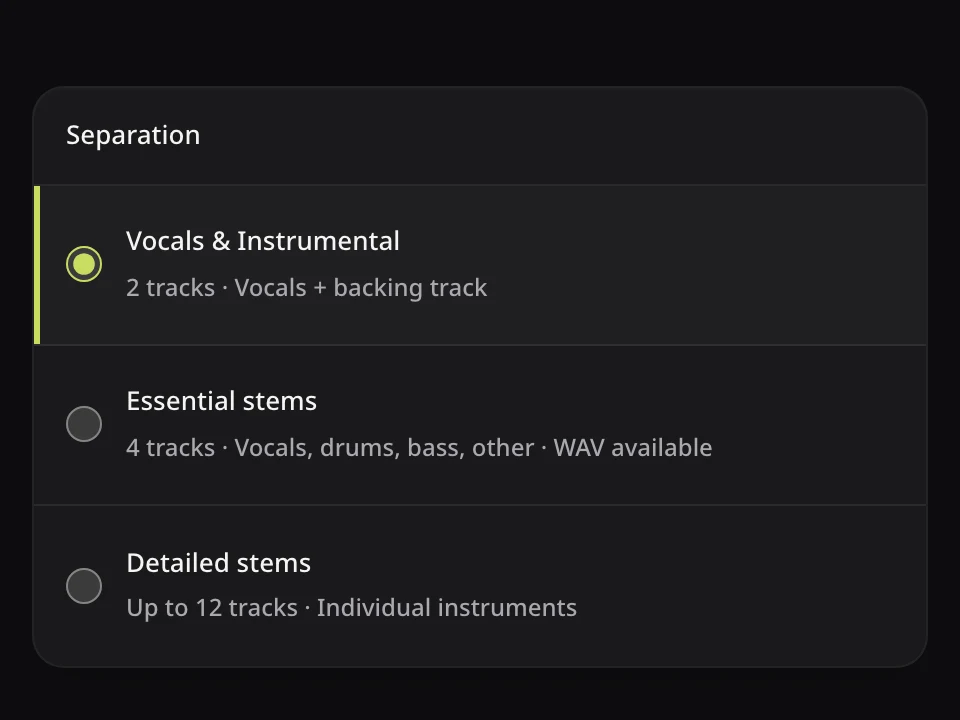
02Run vocal separation
Review the displayed Credits and source requirements, then start separation. It separates singing and accompaniment rather than generating a new song.
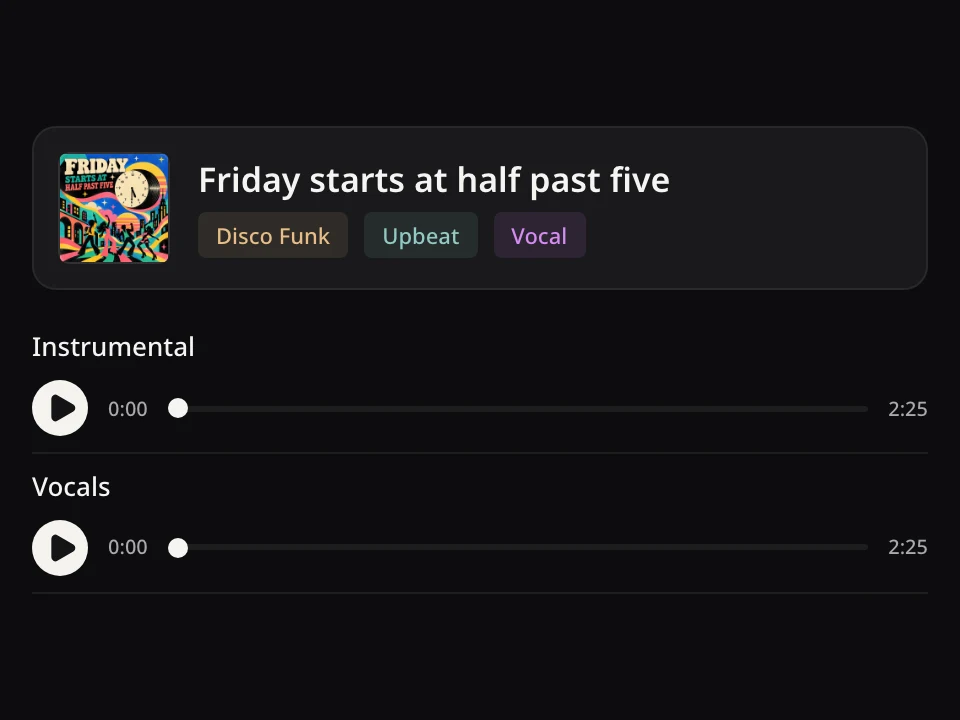
03Compare both tracks
Preview the original, vocals, and instrumental. Check for bleed or artifacts, then download the available result that fits your task.
KEEP THE USEFUL RESULT MOVING
Keep Creating With Your Vocal Remover Results
Download the instrumental, reshape the source as a cover, or move to detailed stem separation.
For Singing, Learning, and Arranging
Singers can rehearse with an instrumental, learners can inspect vocal phrasing, and creators can prepare a permitted edit. Use Stem Splitter when a project needs individual instrument layers.
Open a tool, then choose the song or result you want to use.Download the Instrumental
Save the backing track for a permitted project.
Create a New Cover Direction
Explore another style or voice direction.
Separate More Song Parts
Use multitrack or target-instrument separation.
VOCAL REMOVER QUESTIONS
Vocal Remover Questions
Two-track output, source quality, access, downloads, and responsible use.
Open the Vocal Remover, choose an eligible track from My Songs or upload audio you have permission to process, review the current Credits and requirements, then start. Preview the original, vocals, and instrumental before downloading the result you need.



YOUR SONG · YOUR VOICE-FREE VERSION
Take Out the Vocal. Keep the Song Moving.
Choose your source and turn one mixed track into vocals and instrumental you can hear before downloading.
