How to Make AI Cover Songs from Your Own Recording
Learn how to make AI cover songs from your own audio, choose lyrics and style, compare the original with your cover, and keep a version you want to share.
In this article
You have a song you like, but you want to hear another interpretation: a quieter performance, a jazz arrangement, or a different vocal character. You already have the musical starting point. Now you need a clear way to turn it into a version you can judge.
To make AI cover songs, start with audio you own or have permission to transform, choose what the new version should sing, describe its style, and compare the result with your source. The AI Song Cover Generator creates a new interpretation; your original remains available for comparison.
Your goal: make one purposeful cover, then decide whether it carries forward the part of the song you care about.
Choose a new interpretation or a voice-only change
“AI cover” can mean different things. Start by naming the change you actually want.
| Your goal | Suitable workflow |
|---|---|
| Hear the song with a different arrangement, energy, or vocal direction | Generate a new Cover version |
| Keep the exact backing recording and replace only a voice | A voice-conversion and mixing workflow |
| Continue the song after a particular point | Extend |
| Correct words in one eligible section | Fix a section |
AISongsMaker Cover works on the whole interpretation. It is not a celebrity voice selector or a switch that locks every note, word, and instrument. If you require an unchanged original recording, keep that file and choose a workflow that retains the original tracks.
If your starting point is a rough melody rather than a finished song, see making a song from your own audio for the choice between Cover and Extend.
Prepare a source you can compare
Choose one recording with a musical idea you can recognize. Before uploading, listen to the chorus, an important phrase, and the ending. Write down what matters: the melody's shape, the mood, the lyric, or the groove.
Use the formats and limits shown by the live upload control. A file that your computer can play is not automatically eligible for every generation mode. Keep the source on your device and check that you selected the intended recording before submitting.
A busy or noisy source gives you more things to untangle when judging the result. You can still explore a rough demo, but treat it as a creative starting point rather than proof that the new version will preserve its details.
Decide what the cover should sing
The Cover form offers Lyrics, Describe, and Instrumental content choices. These decisions affect what you are asking the new recording to perform.
- Lyrics: supply the words you want sung. If keeping the existing words matters, review the text rather than assuming the source audio is enough.
- Describe: explain the lyrical idea you want to hear. This is useful when you are open to new words, not a guarantee that the original lyrics will remain.
- Instrumental: choose a new arrangement without singing. This generates an instrumental interpretation; it does not extract the unchanged backing from the source.
For a first test, keep the desired words and musical direction simple. Changing the genre, story, and structure at once makes it harder to understand which choice affected the result. A lyric correction that only concerns one passage may be better suited to changing lyrics in a song.
Create your cover in AISongsMaker
Choose and check the source
Open the AI Song Cover Generator. Upload your permitted recording or choose an eligible saved source. Play it to confirm the selection.
Give the new style one clear job
Choose a content mode and describe the new style. For example, “a relaxed jazz arrangement with piano, upright bass, and a warm, unhurried vocal” describes a direction. It is a writing example, not the recorded settings for the saved song below.
If you want help choosing a direction, use changing song genre with AI. Keep optional controls secondary to the main decision. Where Source Influence is available, it guides the relationship with the source; no percentage guarantees an identical melody.
Review access and submit
Check the model, current access requirement, and displayed credit cost before creating. These conditions can depend on the selected model and source. After submitting, wait for the completed result and keep the original available. Do not treat a pending task as a playable finished cover.
Listen to the original and the cover
The saved example is “The spare key lives inside a cup”: an AI-generated Acoustic Folk source and a same-source Jazz Cover result. The recordings are full English versions, not aligned excerpts. They demonstrate an existing workflow; this article has not generated a new song or tested the instruction written above.
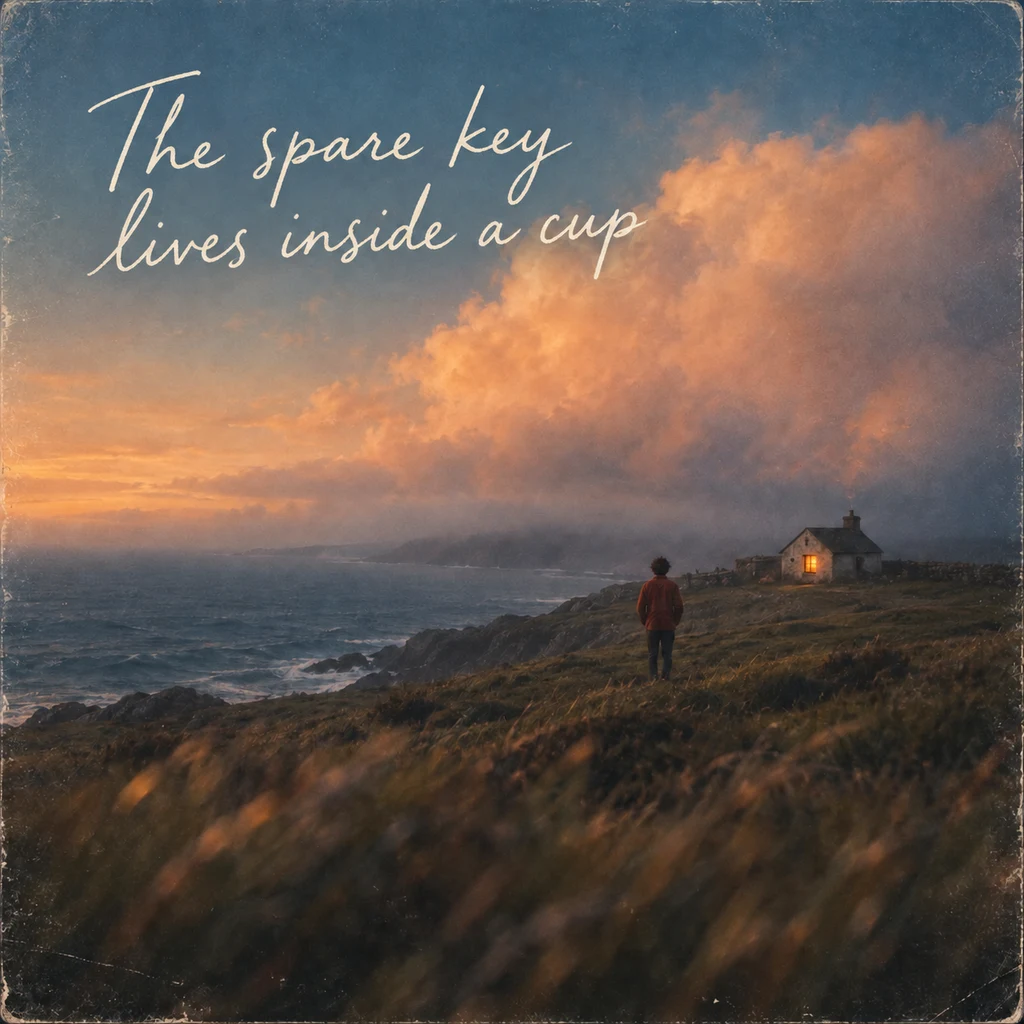
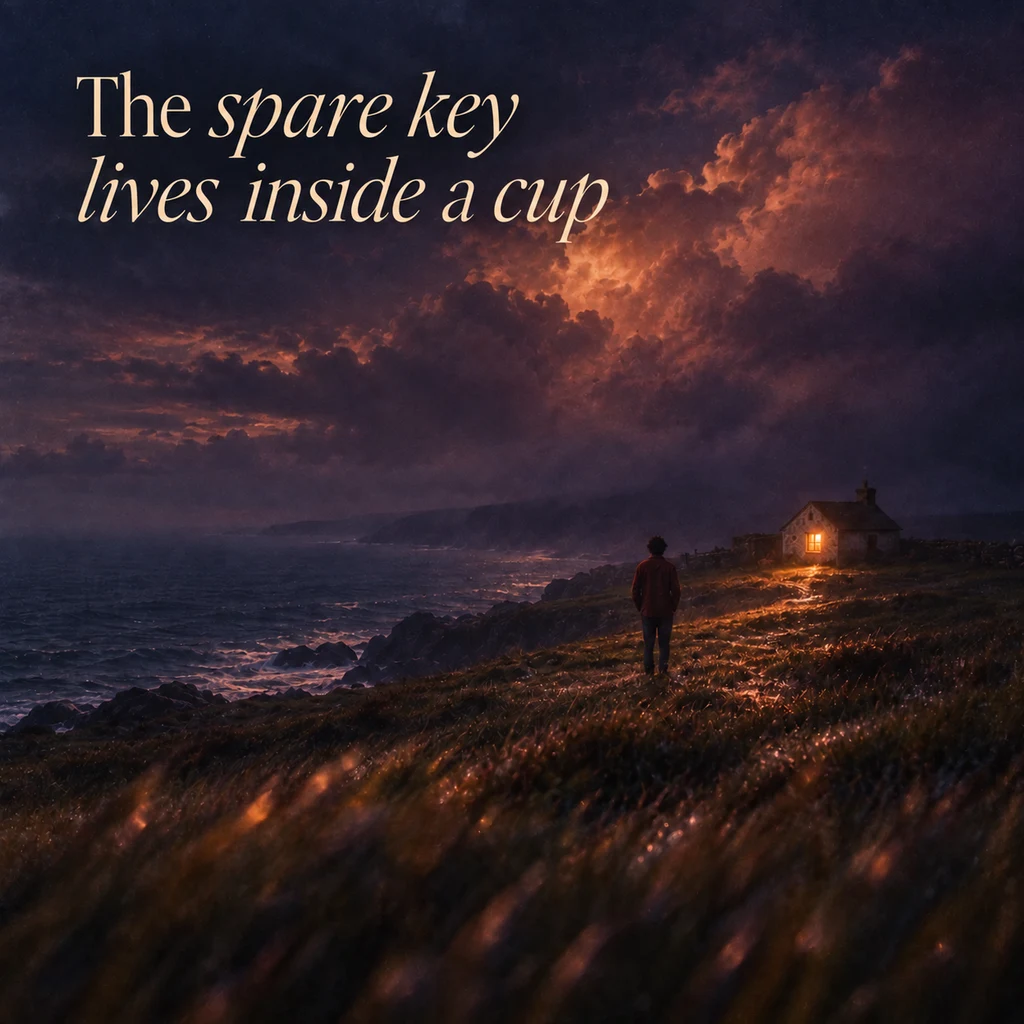
Compare musical moments rather than identical timestamps. Different versions can have different introductions, phrase lengths, and endings.
Listen for the part you named before generating. Is a familiar phrase still recognizable? Are the words clear? Does the arrangement support the feeling you wanted? Does the chorus arrive naturally? Keep listening through the ending before choosing.
A style label tells you what the example is called. Your own listening determines whether it achieved the change you wanted. These files do not prove that Cover always keeps the original melody or lyrics unchanged.
Keep a version and choose the next step
Keep the version that serves your purpose. If neither version fits, describe one specific difference and make one change on the next attempt. Save or mark the completed track using the workspace's available actions.
For a broader choice of continuation, see comparing AI song versions. To take the chosen song outside the workspace, follow downloading your AI song. An instrumental cover is a new performance; use Vocal Remover when your task is to separate the existing recording.
Questions about making AI cover songs
Can I make a cover without existing audio?
A Cover needs a musical source. If you only have words or a topic, start with Lyrics to Song or Text to Song, then use a completed result as a source for another interpretation.
Will the melody and words stay exactly the same?
No exact preservation is guaranteed. Review the lyrics you provide and compare the completed performance with the source. Keep the original when its exact recording matters.
Can I choose a famous singer's voice?
This tutorial does not provide a celebrity voice-cloning workflow. Describe vocal character in ordinary words and evaluate the new performance.
Is an instrumental cover the same as removing vocals?
No. Cover generates a new instrumental interpretation. Vocal Remover separates the existing recording into available vocal and accompaniment assets.
Is making a cover free?
Follow the current access requirement and credit quote in the form. Existing account credits do not by themselves establish eligibility for every model or upload workflow.
Can I publish the result?
Check your source permissions and the applicable AISongsMaker plan and usage terms. Generating a cover does not grant rights to another person's song, recording, or voice. Keep the source and your permission records with the version you choose.
You might also like
How to Make a New Song from Your Own Audio
Start with a voice memo, melody, or rough recording. Choose Cover for a new interpretation or Extend to continue the recording, then listen to the result.
How to Compare AI Song Versions and Choose What to Change Next
Listen for specific differences, keep your favorite version, and choose between Regenerate, Cover, Extend, or Fix a section before creating again.
How to Download Your AI Song and Choose the Right File
Find the files for a completed song, choose MP3 or WAV for your next step, and understand when vocals, instrumental, or a package are available.