
Note + octave: where your sound sits
A4 and A3 share a name, but A4 is an octave higher. For a sung vowel, watch whether one note settles. The detector identifies your sound; it does not know the melody you intended.
A LITTLE CLARITY BEFORE YOUR NEXT TAKE
Sing or play one steady note. See its name, frequency, and tuning offset.
10 free guest checks · Log in to continue free · Audio stays on your device
ONE NOTE AT A TIME
—
— Hz
Allow your microphone when you start.
Device names appear after permission. Changing the device stops listening. Reference: A4 = 440 Hz.
Open-source noticesLive analysis only. No recording or audio upload.
A small check. A clearer next take.
One microphone, one sustained note, one clear reading. Start with a quiet space and keep other audio paused while you check your voice or instrument.
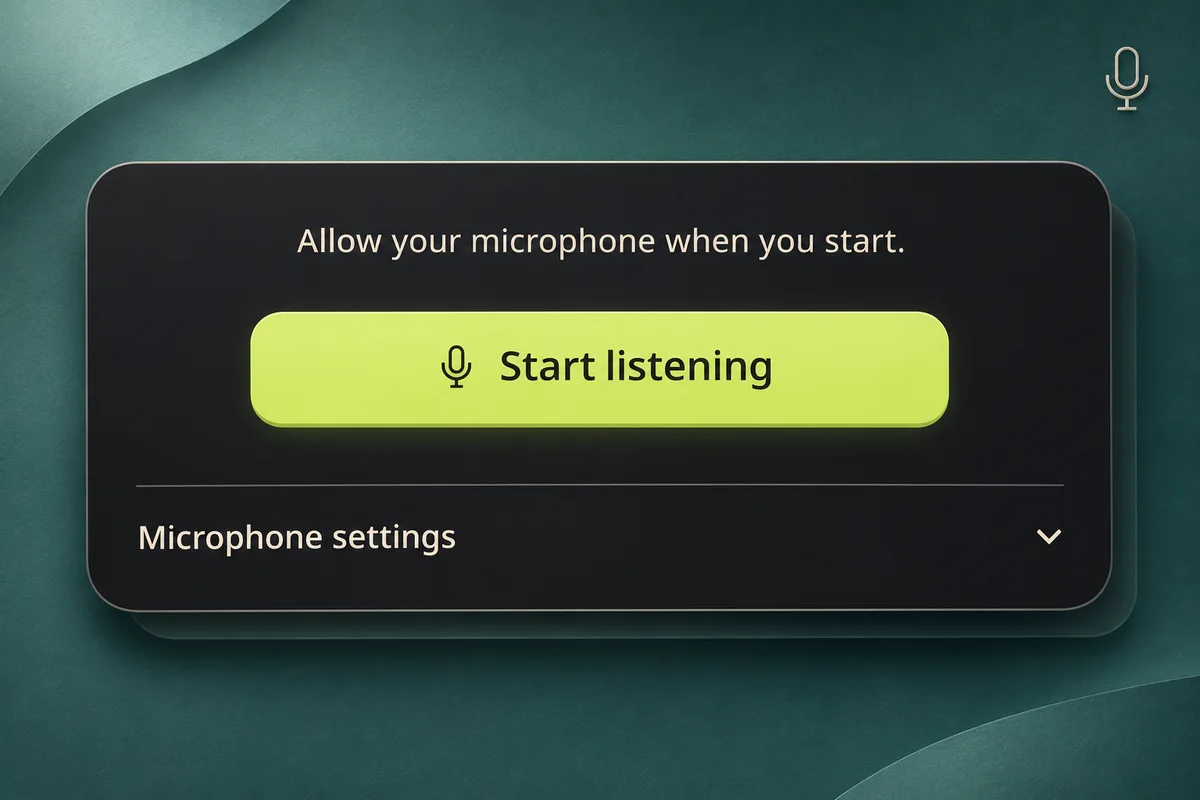
Open the free pitch detector in your browser and choose Start listening. Allow microphone access when your browser asks. Your first 10 guest checks need no account, audio file, or song credits. Keep your device a comfortable distance from your voice or instrument; a very loud signal can distort before it reaches the detector. Pause music, video, and nearby speakers. Use Microphone settings to choose another input after permission. The page never plays your microphone through your speakers.
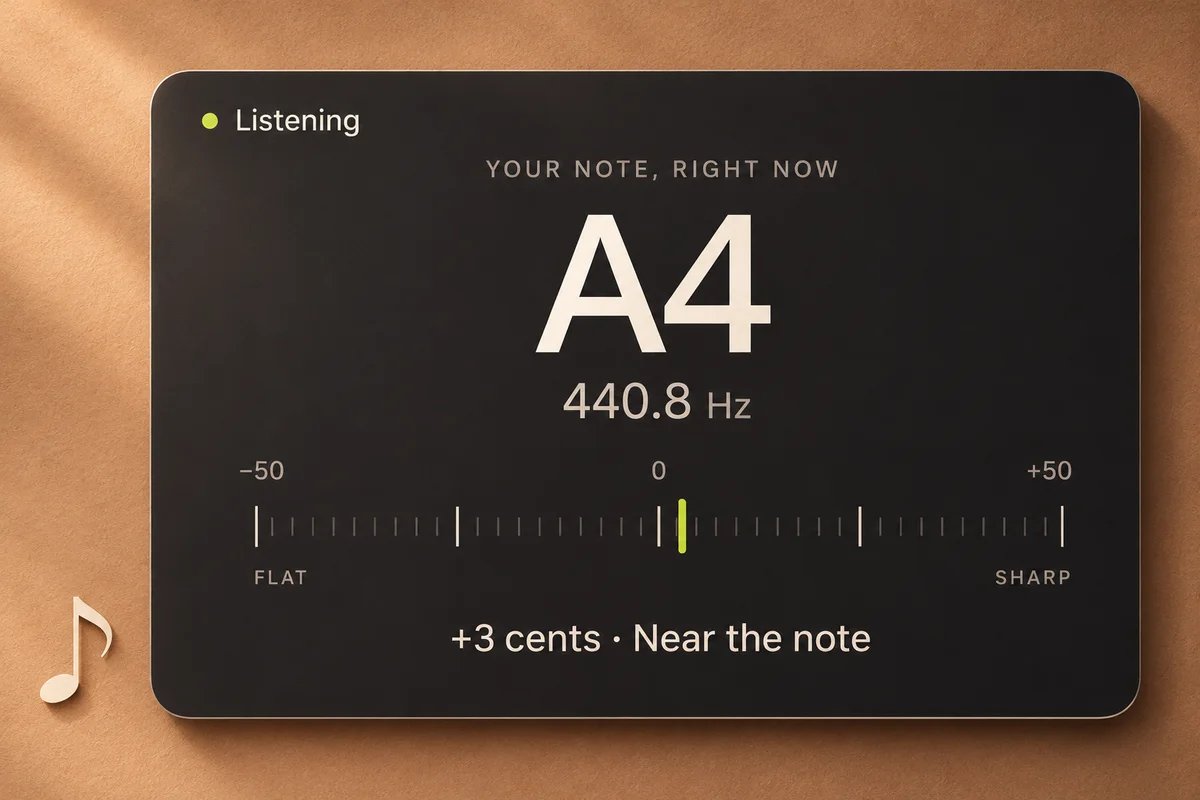
Sing a comfortable vowel or play one instrument note. Give the sound a moment to settle. The free pitch detector shows the nearest note and octave, followed by its frequency in hertz. The small marker shows how far the sound sits above or below that note. If the signal is unclear, a dash replaces the live reading. These explanatory illustrations are based on a 440.8 Hz synthetic test tone. A4 is the A above middle C, using a 440 Hz reference. A negative cents value is flat; a positive value is sharp. The center is the nearest note, not a score for your singing.
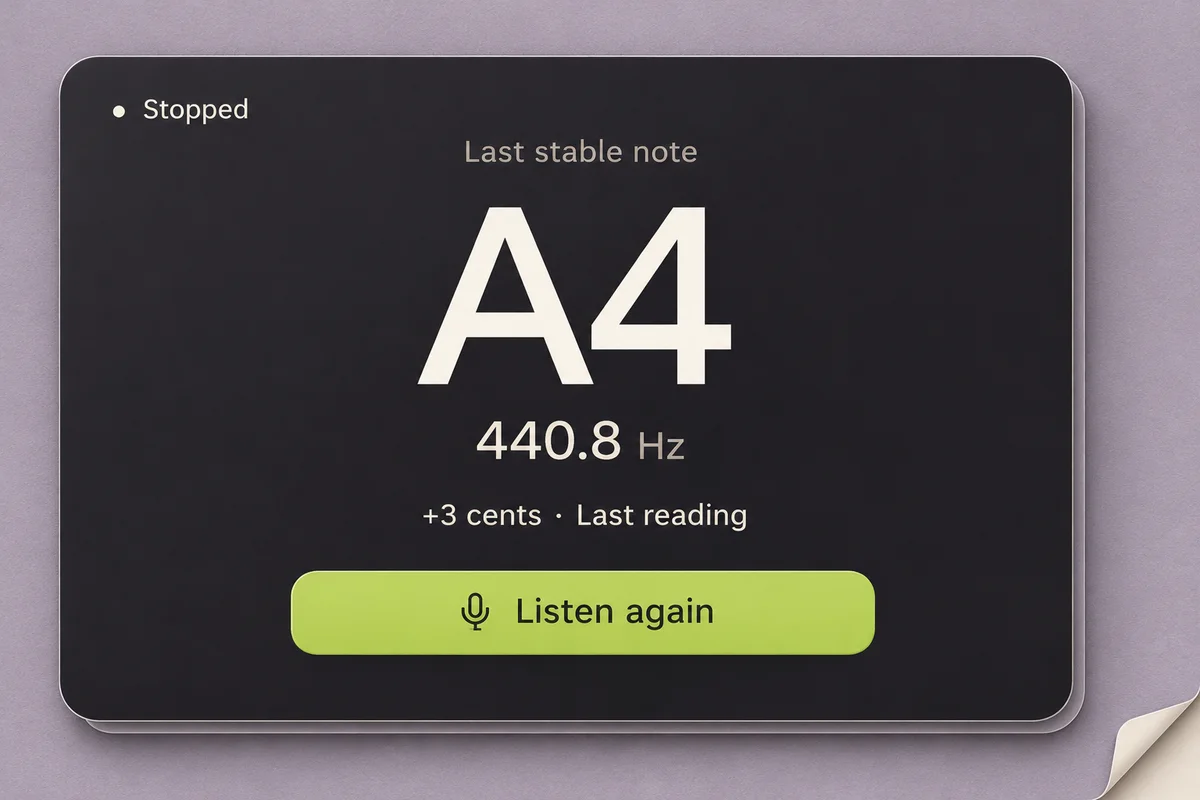
Choose Stop listening when you have checked your note. The free pitch detector releases the microphone and labels the retained value Last stable note. It is a snapshot from this session, not a live signal or a saved recording. Listen again starts a fresh check. Reset clears the reading and returns the instrument to its ready state. No stable note yet? Try again in a quieter place. Have lyrics ready? Continue to Lyrics to Song when you choose. Song creation is a separate workflow that uses credits.
The free pitch detector gives you three views of the same sound. Use the note for orientation, frequency for a reference, and cents for small changes.
A4 and A3 share a name, but A4 is an octave higher. For a sung vowel, watch whether one note settles. The detector identifies your sound; it does not know the melody you intended.
A4 uses a 440 Hz reference. Our synthetic 440.8 Hz test tone still reads A4, slightly above that reference. This is a controlled test example, not a claim about microphone accuracy in every room.
Positive means above the nearest note; negative means below it. A semitone contains 100 cents. Let a plucked string settle before reading the marker. Near the note means within five cents, not a performance score.
Stay with practice or move toward a song. The free pitch detector does not transfer microphone audio, save a melody, or start a paid generation.
A note can belong to many keys. Use this reading to check a sustained sound; chord recognition, vocal-range measurement, and pitch correction need different tools.
Stopping releases the microphone. Your last stable reading stays until you reset or reload.Try a comfortable vowel, one guitar string, or one piano key. Pause other sounds and let the note settle before comparing another attempt.
10 guest checks; continued pitch checks are free after login.Ready to record a phrase? Read the guide to preparing vocals and adding an instrumental. A pitch reading alone is not an audio recording.
Describe the mood, topic, and sound you want in Text to Song. You choose the direction and review the result in the creation workspace.
Song generation requires an account and credits.Practical answers about your microphone, your reading, and what this tool can help you check.
Yes. The free pitch detector includes 10 guest checks in this browser. A check counts when you obtain a stable note and stop or reset; failed access and checks without a stable reading do not count. After 10 checks, log in or sign up to continue free. The allowance does not reset daily. Your browser still needs microphone permission, and access verification may appear when enabled. If you later choose to make a song, the song workspace has its own account and credit requirements. Checking a note does not start a song generation or use your generation balance.
The name identifies the nearest musical note, the number identifies its octave, and Hz is its frequency. For example, A4 is the reference A at 440 Hz. A changing frequency can remain within the same note; use cents to see the smaller movement.
Zero is the center of the nearest note; negative values are flat and positive values are sharp. The free pitch detector marks values within five cents as near the note. Natural vibrato moves the reading, so listen to the sound instead of chasing a perfectly still marker.
Yes: try the free pitch detector with a comfortable sustained vowel or hummed note. It compares your sound with the nearest note, not an intended melody. It is not a singing score, vocal-range test, or correction effect. Stop if singing feels uncomfortable.
You can try one isolated note that your microphone captures clearly. Let a guitar string ring without strumming other strings, or play one piano key and allow its attack to settle. The free pitch detector evaluates steady signals in an approximate 65–1500 Hz analysis range; microphone quality and harmonics affect the result. Very low notes, very high notes, and short percussive sounds may not settle. It has no instrument-specific tuning preset or adjustable concert reference, so use a dedicated tuner when you need those controls.
A dash means the free pitch detector has not found a sufficiently clear, stable single-note signal. Check your browser permission, confirm the correct microphone, and try a quieter room. Move a little closer without shouting or letting the microphone distort. Hold the note longer than a quick tap or syllable. The tool deliberately clears uncertain live readings instead of continuing to show an old note as if it were current. You can open Microphone settings to select another available input and start again.
A musical sound contains several related frequencies. Sometimes a strong overtone is easier to hear than the fundamental, which can cause an octave jump. Background sounds, distortion, and more than one note can also confuse the reading. With the free pitch detector, try a softer sustained sound, change your distance slightly, and pause other audio sources. Compare a few attempts rather than assuming one frame describes your instrument or voice. A changing octave is a reason to improve the input, not proof that your performance suddenly changed.
No. This free pitch detector analyzes one sustained note at a time. A4 can belong to many keys; detecting it does not establish a song key. Chords and arrangements contain overlapping sounds. This page does not transcribe melodies, create MIDI, or separate vocals.
The detector reads a short rolling audio buffer in your browser. It does not record an audio file, upload that audio, or save a listening history to your account. Stopping releases the microphone, while Reset clears the displayed reading. Normal site resources and access verification can still involve network requests; local audio analysis does not mean the whole website works offline. Reloading the page clears the session result. Check the microphone indicator in your browser if you want to confirm that access has stopped.
The free pitch detector pauses listening and releases the microphone when the page becomes hidden or leaves the active session. Return and choose Listen again to start a new check. Switching input devices also stops the current stream, so the page does not keep listening to two microphones at once. If permission is denied or a device disconnects, a message explains what to try next. Cancel also works while a permission request is pending; a late permission response does not silently restart listening.
The free pitch detector uses browser microphone access and Web Audio. It needs a compatible browser and a secure connection; actual behavior depends on your device and its permission settings. On a phone, use the same central note display and full-width start or stop button. If an in-app browser cannot offer microphone access, open the page in your usual browser. Keep the page visible while checking a note. Bluetooth microphones and noisy rooms can affect the signal, so try the built-in microphone when troubleshooting.
No: a retained note is a reference, not a recording or melody. Lyrics to Song and Text to Song open separate creation workspaces without transferring audio. You choose what to write and when to generate. Song creation uses credits; the pitch check remains free.

Your note check is complete whenever you decide. If you have words you want to hear, take them into the song workspace and choose a musical direction. Creating songs requires an account and credits. The free pitch detector offers 10 guest checks, then free continued use after login.