AISongsMaker
  • Blog
  • Pricing
AISongsMaker
AISongsMakerCreate. Shape. Continue.support@aisongsmaker.org
MediumSubstack

Create

  • AI Lyrics Generator
  • AI Music Creator
  • AI Song Maker
  • Lyrics to Song
  • Text to Song

Music Tools

  • AI Sheet Music Generator
  • Free Key and BPM Finder
  • Free Pitch Detector
  • AI Song Cover
  • AI Music Genre Changer
  • Add Vocals
  • Add Instrumental
  • AI Music Extender
  • Stem Splitter
  • AI Mastering
  • Vocal Remover

Music Styles

  • AI Rap Generator
  • AI Pop Music Generator
  • AI Lo-fi Music Generator
  • AI Phonk Generator

Occasions

  • AI Halloween Music Generator
  • AI Jingle Generator

Alternatives

  • Suno Alternative
  • Udio Alternative
  • Suno Black Friday
  • ElevenLabs Black Friday
  • Mureka Black Friday

Resources

  • Black Friday
  • Blog
  • Pricing
  • FAQ
© 2026 AISongsMaker. All rights reserved.
Privacy PolicyTerms of ServiceRefund Policy
AISongsMaker
HomeLibraryCreatePricingCreatorCProfile

Free AI Sheet Music Generator Online

Turn your recording into a piano score for free during the beta. Listen, edit or print it, or start a new piece from an idea.

Score this song.

Song form 64 bars · 3:12
Playing preferences Easy · Both hands
Key & tempo C major · 4/4 · 80

Choose your recording

Sample score

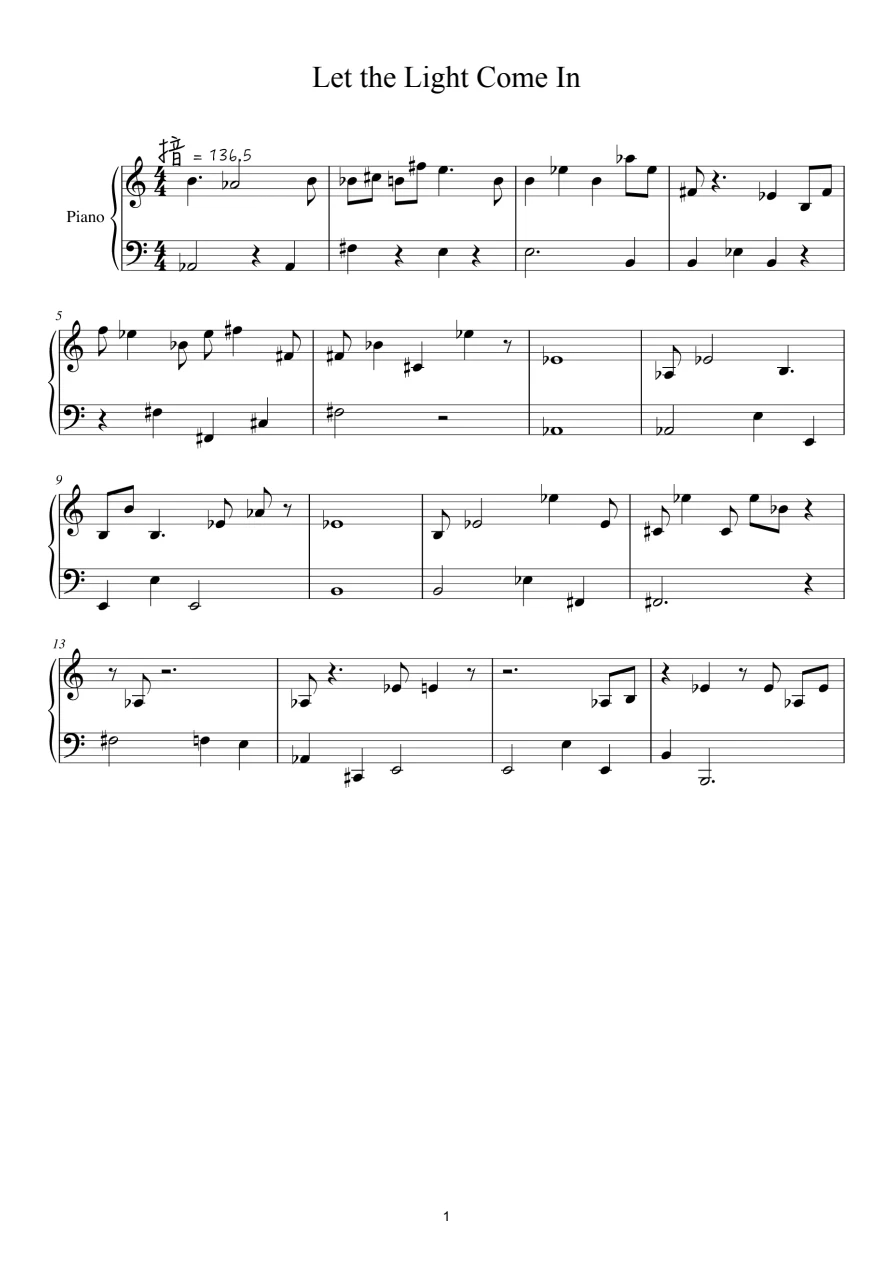
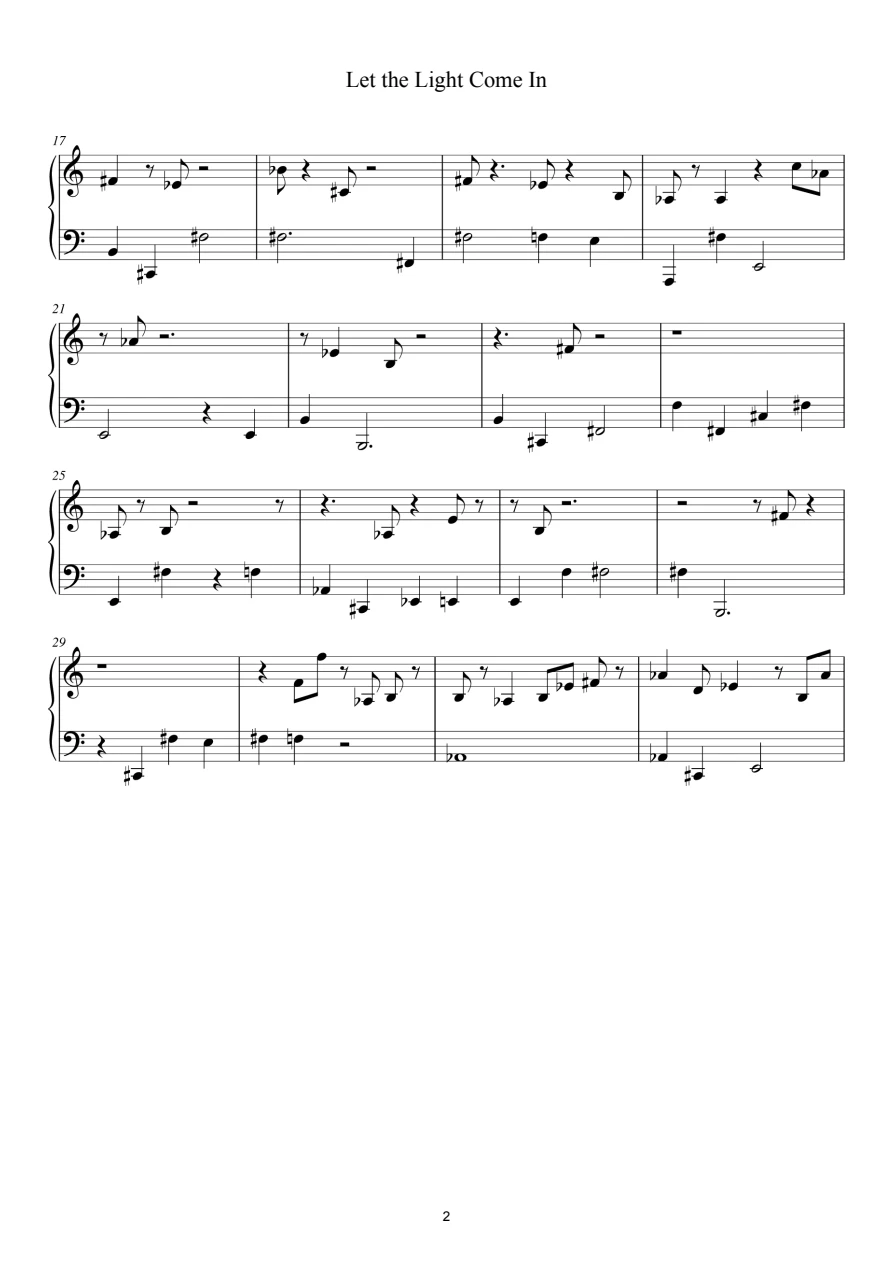
Let the Light Come In

Full size
Let the Light Come In, page 1
Let the Light Come In, page 2
91 bars · 136.5 BPM
1–2 / 6

Start with the music you have

Bring a sentence to the AI Sheet Music Generator to write a piano theme. Bring a recording to trace notes you can compare with the original.

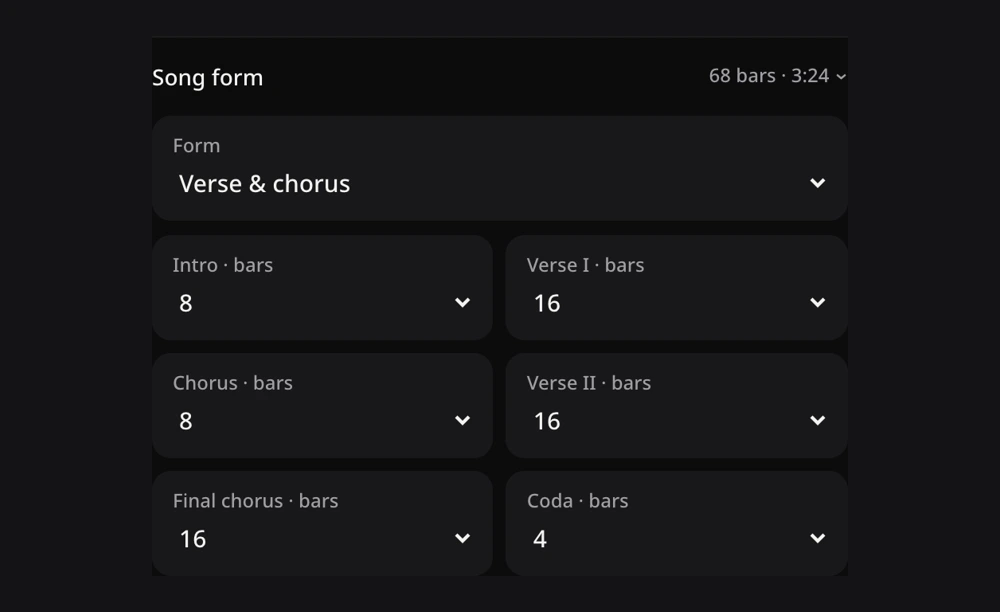
Song form in the piano workbench with editable section lengths and estimated duration
01 / From an idea

Give the opening phrase somewhere to go

Try “a quiet opening for a home movie, a brighter middle, then the first melody again.” In the AI Sheet Music Generator, the description guides an eight-bar theme. The selected form determines how that material develops. A slower tempo gives each phrase more time on screen or under your fingers.

Open Song form to adjust individual sections.Change the opening from four bars to eight and check the new playing time.
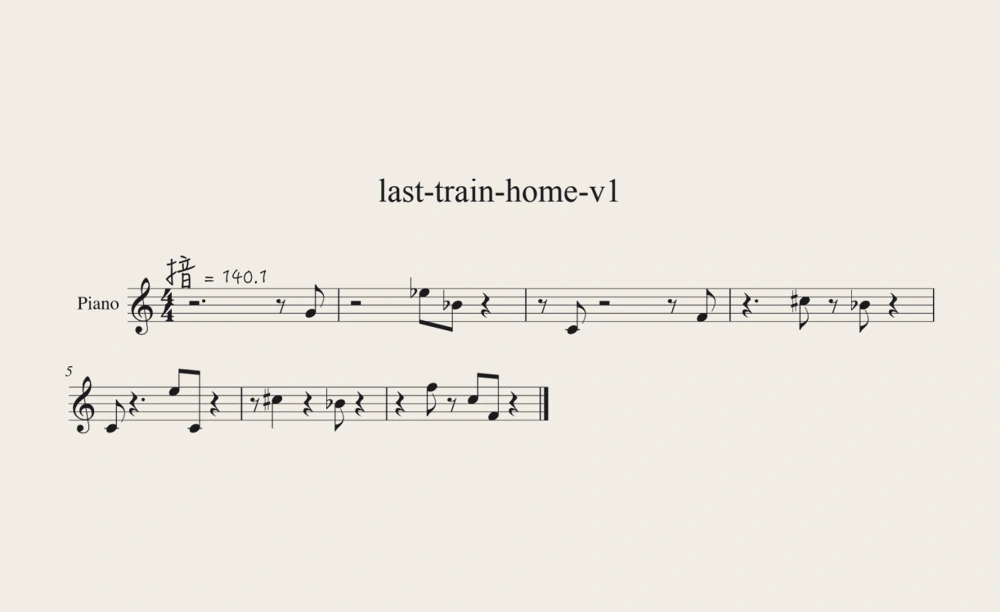
Treble staff from an actual upper-line excerpt rendered from an original recording
02 / From a recording

Find a line you can follow at the keyboard

To transcribe a recording in the AI Sheet Music Generator, choose My Music or a local audio file. Start with a short phrase whose tune you can hum. Compare the piano result with the original at the same moment. A strong bass or synth can briefly take over the upper line in a busy mix. Keep the notes you recognize and mark the ones you want to edit.

Try Upper line to isolate the top range of the draft.Turn a difficult passage into a short excerpt before working through the full song.

Write for a particular pair of hands

Try these AI Sheet Music Generator prompts for a first piano lesson, a home movie or a dance in three. Each pairs a musical idea with a setting you can change.

Playing level

Choose how far the right hand needs to move.

Original writing example · Five fingers

A question and answer for my first piano lesson. Keep the melody under five fingers and let it settle back on the home note.

Playing level

Five fingers

Choose how far the right hand needs to move.

Try this in your draft

In the AI Sheet Music Generator, set the purpose to Sight-reading. Keep Easy and long bass notes so the player can spend their attention on reading the upper staff.

Open the AI Sheet Music Generator

Choose the file for your next session

Each AI Sheet Music Generator result includes a printable page, an editable score and a performance file. Choose the format that fits your next session.

PDF for the music stand

Open the PDF from the AI Sheet Music Generator at full size before printing. Check the first and last measures of a page, the clefs and the accidentals. A PDF retains those decisions when you send a part to someone who reads at the piano.

01

MusicXML for an editable score

Keep the MusicXML from the AI Sheet Music Generator when you expect to adjust an awkward leap, change the spelling of a note or prepare a part for a lesson. Open it in your notation editor and compare its playback with the piano preview before printing again.

02

MIDI for your music project

Download MIDI when you want to try the theme with another instrument. It carries the note events and tempo. The sound of the instrument comes from the one you choose in your own project.

Questions about writing and reading a piano score

Practical answers for working from a description, checking a recording and taking your score to the keyboard.

Yes. During the beta you can upload a recording and download the piano draft without signing in or spending credits. To use a track saved in My Music, sign in to your library. Writing from an idea costs 1 credit for either a short or full piece, charged once the score, playback and exports are ready. Failed attempts and retries of the same submission cost no extra credits.

Open the sample score, turn its pages, listen to the piano and download one of the three file formats. In My Music, compare the example piano draft with its original recording. Switch to From an idea to explore a complete 64-bar composition. Your settings take effect when you submit a new job. A sample stays labeled until your own result is ready.

An accidental tells the player which pitch to play at that moment. When an altered note returns to its natural pitch in the same bar, a natural sign can be just as important as a sharp or flat. If the score sounds different under your hands, check the most recent accidental for the same note in the same octave before changing the note in your editor.

Play a phrase from the opening, a transition and the ending. Check the hand positions, listen for an awkward jump between bars and compare the last printed note with what you expect to hear. If another person will read the part, give them a PDF and the piano preview together. Keep the MusicXML file so you can incorporate their changes without starting over.

Write what the passage is for and how you want it to develop. A model proposes a short melodic theme. The score builder checks bar lengths, applies the chosen scale and meter, then writes the actual pitches and durations into a score. Listen for the shape of the phrase before deciding whether to keep it.

Choose an 8-bar sketch, a 16-bar piece or a full arrangement of up to 96 bars and five minutes. The default full piece has 64 bars. At 80 BPM in 4/4, it lasts 3 minutes and 12 seconds. Open Song form to change the length of the intro, verses, choruses or coda.

Start with Sight-reading and an eight-bar sketch. Use a five-finger position, simple rhythms and a long bass note under the melody. For a first pass, choose Right hand and read the printed line before playing the preview. Easy is a set of writing constraints. A teacher can judge whether the result fits a particular student.

The recording mode estimates notes in upper and lower pitch ranges. The upper line may follow a singer, keyboard or another prominent instrument. Compare the same phrase in both recordings. A clean single-instrument recording is a better starting point when you need a specific part.

Yes. Choose Excerpt and enter start and end times in seconds. Allow at least two seconds and include a little context around the phrase. A short section makes it easier to hear when a note entrance is early or when the upper line switches instruments. Recording input currently supports up to three minutes and 25 MB.

The tempo field in the composition form determines the score tempo and the MIDI tempo. Recording mode estimates a pulse and uses a four-beat grid. If the beat sounds twice as fast or half as fast as you would count it, check the original by ear before relying on the printed measures.

Save MusicXML for a notation editor. MIDI is useful for playing the notes with a different sound. Keep the PDF as a reference to the version you heard. Downloading another format from the same result uses the existing score.

Check what you hear

Take a draft from the AI Sheet Music Generator to the keyboard. If something sounds wrong, check one held note or count one bar against the recording.

Bring the score to the keyboard

Keep the recording and the printed page nearby. Pick the smallest phrase you can compare confidently.

Find the note you are playing

Hold one steady note and compare the detected pitch with the note on the page.

Check a single note

Check the pace of the recording

Measure the original track when the written pulse feels too quick or too slow.

Check key and tempo

Bring your recording to the piano

Turn a phrase from your recording into sheet music. Listen to the piano draft, then print it for your next practice.

Open the sheet music generator